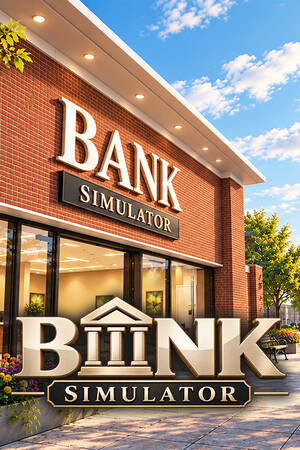
Bank Simulator Trainer
21 cheats for Bank Simulator, including Super Speed, Super Jump, and Low Gravity. Turn them on with hotkeys, an in-game overlay or your phone.
Free · No ads · No time limits · Windows
Cheats and Options
21 optionsMovement 5
Walk and run faster. The slider sets how many times faster you move; 1 is normal and below 1 slows you down.
Jump higher. The slider sets how many times higher; 1 is normal.
Float down slowly after a jump. The higher the slider, the lighter you are; 1 is normal and below 1 makes you heavier.
Jump again while in the air. Press jump mid-air.
Move freely through the air around the bank and city. Press Space to rise and Ctrl to drop. The slider sets how fast you fly.
Economy 7
Tops your profit up to 1,000,000 whenever it drops lower. Profit above that is left alone.
Adds the amount in the field to your profit each time.
Each use adds 100,000 profit.
Earn more profit from everything; 1 is normal.
Each use adds 100,000 bank money.
Adds the amount in the field to your XP each time. Your level and XP stay in your save.
Earn more XP from everything; 1 is normal.
Shop 2
Shop items cost only $1 while this is on. Turning it off puts the prices back.
Upgrades and expansions cost only $1.
Bank 3
Customers deposit bigger amounts; 1 is normal.
Customers withdraw bigger amounts; 1 is normal.
Your staff always work at full boost.
Time 4
The clock stops, so the day never ends.
Each use moves the clock forward one hour. Use it during opening hours: it does not work before the day starts or after it ends.
Makes the workday pass faster; 1 is normal. It has no effect while Freeze Daytime is on.
The whole game runs at this speed; 1 is normal. A paused game stays paused.
FAQ
About the Bank Simulator Trainer
Is the trainer for Bank Simulator free?
Yes. Trinity and every trainer in it are free: no time limits, no ads, and the phone remote is included.
What can the trainer do?
It has 21 options, such as Super Speed, Super Jump, Low Gravity, and Unlimited Jumps. Each one is listed above with its default hotkey, and you can rebind any of them.
Which version of Bank Simulator does it work with?
It is made for the PC game from Steam. Trinity finds the game in your library and attaches when it is running.
Can I use it online?
No. Trinity is for single-player games only. Do not use trainers in online modes or games with anti-cheat enabled (some games with anti-cheat allow disabling anti-cheat with an offline mode).