Gloomwood Trainer
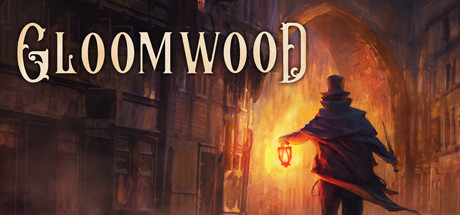
27 cheats for Gloomwood, including Enemies Near Death, Enable Player Values, and Invulnerable. Turn them on with hotkeys, an in-game overlay or your phone.
Free · No ads · No time limits · Windows 10 and 11
Cheats and Options
27 optionsCombat 1
Every enemy's health is set to 1 on each health update, so any hit kills it. Use it only when needed: it hits every enemy at once. Hooks the enemy health update.
Player 6
Hooks the player health update, which hands over the player's health and entity, so the values below can be read and set.
Holds the game's own invulnerable flag on, so you take no damage. Hooks the player health update itself.
Holds the game's own infinite-life flag on. Hooks the player health update itself.
Your current health. Needs Enable Player Values (or a cheat that uses it) on, and shows the value once the game has run its player health update.
The modifier on your max health. Needs Enable Player Values (or a cheat that uses it) on, and shows the value once the game has run its player health update.
Holds the game state manager's developer mode on; press the tilde key in game to use it. Hooks the player health update itself.
Weapons 8
Holds the equipment's own infinite-ammo flag on. Hooks the player health update itself.
Rounds loaded in the current weapon. Needs Enable Player Values (or a cheat that uses it) on, and shows the value once the game has run its player health update.
The current weapon's attack speed modifier. Needs Enable Player Values (or a cheat that uses it) on, and shows the value once the game has run its player health update.
The equipment's spread modifier (lower is tighter). Needs Enable Player Values (or a cheat that uses it) on, and shows the value once the game has run its player health update.
The current weapon's damage amount. Needs Enable Player Values (or a cheat that uses it) on, and shows the value once the game has run its player health update.
The current weapon's damage amount modifier. Needs Enable Player Values (or a cheat that uses it) on, and shows the value once the game has run its player health update.
Holds the infinite-quantity flag on the item linked to the current weapon (its ammo or the item itself). Hooks the player health update itself.
How many of the item linked to the current weapon you carry. Needs Enable Player Values (or a cheat that uses it) on, and shows the value once the game has run its player health update.
Movement 6
Your base move speed. Needs Enable Player Values (or a cheat that uses it) on, and shows the value once the game has run its player health update.
Your running speed. Needs Enable Player Values (or a cheat that uses it) on, and shows the value once the game has run its player health update.
How high you jump. Needs Enable Player Values (or a cheat that uses it) on, and shows the value once the game has run its player health update.
The gravity force on you. Needs Enable Player Values (or a cheat that uses it) on, and shows the value once the game has run its player health update.
The height a fall must exceed before it hurts. Needs Enable Player Values (or a cheat that uses it) on, and shows the value once the game has run its player health update.
Holds the swimming config's own infinite-breath flag on. Hooks the player health update itself.
Inventory 6
Hooks the item quantity change, which hands over the last item whose quantity changed, so the values below can be read and set.
How many of that item you carry. Needs Enable Item Values on; shows the last item whose quantity changed (pick up a second of an item you already carry, such as a coin).
Holds that item's own infinite-quantity flag on. Hooks the item quantity change itself. Works on the last item whose quantity changed (pick up a second of an item you already carry, such as a coin).
Hooks the item quantity icon update, which hands over the last item whose quantity icon was refreshed, so the values below can be read and set.
How many of that item you carry. Needs Enable Item 2 Values on; shows the last item whose quantity icon was refreshed (add or unpack an item that shows a quantity).
Holds that item's own infinite-quantity flag on. Hooks the item quantity icon update itself. Works on the last item whose quantity icon was refreshed (add or unpack an item that shows a quantity).
FAQ
About the Gloomwood Trainer
Is the trainer for Gloomwood free?
Yes. Trinity and every trainer in it are free: no time limits, no ads, and the phone remote is included.
What can the trainer do?
It has 27 options, such as Enemies Near Death, Enable Player Values, Invulnerable, and Infinite Life. Each one is listed above with its default hotkey, and you can rebind any of them.
Which version of Gloomwood does it work with?
It is made for the PC game from Steam. Trinity finds the game in your library and attaches when it is running.
Can I use it online?
No. Trinity is for single-player games only. Do not use trainers in online modes or in games with anti-cheat.