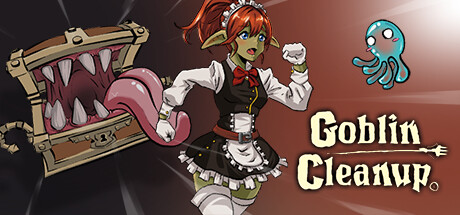
Goblin Cleanup Trainer
32 cheats for Goblin Cleanup, including No Damage, Damage Received [%], and Immortal. Turn them on with hotkeys, an in-game overlay or your phone.
Free · No ads · No time limits · Windows 10 and 11
Cheats and Options
32 optionsPlayer 4
The Player won't receive any damage. It doesn't prevent forced deaths. Use the 'Immortal' mod for that.
Changes the amount of damage the Player receives. It doesn't change forced death damage. Use the 'Immortal' mod for that. 100% is the Normal Amount. 50% is Half the Amount. 200% is Double the Amount.
Stops all Player damage. This includes forced kills like traps or falling off the map.
Multiplies the strength when throwing items. The higher the number, the farther they'll be thrown.
Inventory 4
Rune charges will always be maxed out.
Adds chosen Rune to the Inventory. If you already have it, it won't work. Add All Runes: Adds every type of Rune to the Inventory.
Removes the Rune selected on the "Choose Rune" mod, from your Inventory. NOTE: The Rune Altar must be open for this mod to work.
Stats 5
100% is normal damage, 50% is half, and 200% is double.
Multiplies the experience gained from performing actions.
Weapons 2
Convert the Slime on the Slimop Tool to a Fire Slime. It only works on Normal Slimes.
Convert the Slime on the Slimop Tool to an Ice Slime. It only works on Normal Slimes.
Game 14
When cleaning blood, Slimes won't absorb it. So you can clean everything with a single Slime.
Changes the amount of Blood Slimes absorb. 100% is normal damage, 50% is half, and 200% is double.
When a Slime touches Fire, it will instantly transform to a Fire Slime, rather than take a while.
Changes how fast Slimes absorb heat. The higher the amount, the less it takes to transform into a Fire Slime.
Organic remains won't leave blood stains.
Stops the Mimic from being able to eat the Player when nearby.
Fire Slimes won't explode when thrown. Be aware that a challenge requires you to kill a skeleton with this. So disable this if you want to complete it.
Fragile Objects, like vases, won't break.
The Scanner won't have any cooldown in between uses.
100% is the Normal Amount. 50% is Half the Amount. 200% is Double the Amount.
Increases how far the scanner reaches.
Increases how long the scanned object lasts.
Multiplies how fast Objects get restored in place.
Adds a Slime to the Player Slimop Tool.
Physics 3
NOTE: Be aware that many maps will kill you if you jump too high.
FAQ
About the Goblin Cleanup Trainer
Is the trainer for Goblin Cleanup free?
Yes. Trinity and every trainer in it are free: no time limits, no ads, and the phone remote is included.
What can the trainer do?
It has 32 options, such as No Damage, Damage Received [%], Immortal, and Throw Force Multiplier. Each one is listed above with its default hotkey, and you can rebind any of them.
Which version of Goblin Cleanup does it work with?
It is made for the PC game from Steam. Trinity finds the game in your library and attaches when it is running.
Can I use it online?
No. Trinity is for single-player games only. Do not use trainers in online modes or in games with anti-cheat.