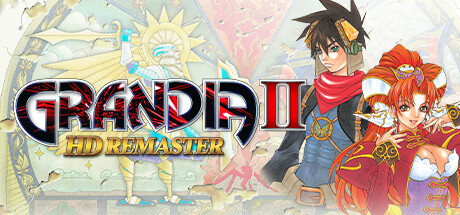
Grandia II Anniversary Edition Trainer
11 cheats for Grandia II Anniversary Edition, including Infinite HP, Infinite MP, and Infinite SP. Turn them on with hotkeys, an in-game overlay or your phone.
Free · No ads · No time limits · Windows 10 and 11
Cheats and options
11 optionsParty 3
When a party member takes damage, their HP is put back to max instead. Enemies take damage as usual.
When a party member uses magic, their MP is put back to max instead (Mareg's own magic too).
When a party member uses a special move, their SP is put back to max instead.
Inventory 3
Keeps the inventory as the game reads it, for the money and item values below.
Your gold, special coins and magic coins. Turn on Enable Inventory Editor, then open the in-game menu once so the game reads the inventory.
Pick an item, weapon, armor or accessory and set how many you have. Turn on Enable Inventory Editor, then open the in-game menu once so the game reads the inventory.
Character Stats 5
Keeps the party's stats (out of battle) as the game reads them, for the values below, and picks the character they show.
The character picked under Enable Stats Editor: their level and EXP. Turn on Enable Stats Editor, then open the in-game menu with the party once. Changes made during a battle are not kept, as the table notes.
The character picked under Enable Stats Editor: their HP, MP and SP, out of battle. Turn on Enable Stats Editor, then open the in-game menu with the party once. Changes made during a battle are not kept, as the table notes.
The character picked under Enable Stats Editor: their base STR, VIT, AGI, SPD, MAG and MEN. Turn on Enable Stats Editor, then open the in-game menu with the party once. Changes made during a battle are not kept, as the table notes.
The character picked under Enable Stats Editor: the IDs of their equipped weapon, armor, headgear, footwear, accessory and Mana Egg. Turn on Enable Stats Editor, then open the in-game menu with the party once. Changes made during a battle are not kept, as the table notes.
FAQ
About the Grandia II Anniversary Edition trainer
Is the trainer for Grandia II Anniversary Edition free?
Yes. Trinity and every trainer in it are free: no time limits, no ads, and the phone remote is included.
What can the trainer do?
It has 11 options, such as Infinite HP, Infinite MP, Infinite SP, and Enable Inventory Editor. Each one is listed above with its default hotkey, and you can rebind any of them.
Which version of Grandia II Anniversary Edition does it work with?
It is made for the PC game from Steam. Trinity finds the game in your library and attaches when it is running.
Can I use it online?
No. Trinity is for single-player games only. Do not use trainers in online modes or in games with anti-cheat.
More games with trainers
Browse all 2,100+ games