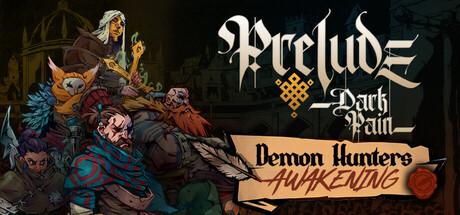
Prelude Dark Pain Trainer
15 cheats for Prelude Dark Pain, including God Mode, Unlimited Attacks, and Unlimited Movement. Turn them on with hotkeys, an in-game overlay or your phone.
Free · No ads · No time limits · Windows 10 and 11
Cheats and Options
15 optionsPlayer 4
Your heroes cannot be killed in battle.
Your heroes can attack more than once in the same turn.
Your heroes can move more than once in the same turn.
Skills can be used no matter their cost. Using a skill or defending does not spend battle points.
Inventory 2
Adds the selected material to your inventory. You must open the pause menu before using this mod. Material Amount: Adds the chosen amount of the selected material to your inventory.
Crafting and upgrading gear at the forge does not consume materials.
Stats 5
Raises every hero in your roster by one level. The points gained are left for you to spend. You must open the pause menu before using this mod. Set Level: Sets every hero in your roster to the chosen level.
Adds XP to every hero in your roster. The game stops granting levels from XP at level 10, so use Set Level to go beyond that. You must open the pause menu before using this mod. XP Amount: Adds the chosen amount of XP to every hero in your roster.
Adds spendable attribute points to every hero in your roster. You must open the pause menu before using this mod. Attribute Point Amount: Adds the chosen number of attribute points to every hero in your roster.
Your heroes always have talent points available to spend in the skill tree.
Sets how many talent points your heroes are given.
Enemies 2
Every enemy fights at a higher level than your party. Enemy levels are set when a battle begins, so change this before entering one.
Sets how many levels are added to each enemy.
Game 2
Every hero becomes available for your roster. You must open the pause menu before using this mod, then reopen the character selection screen to see the new heroes.
Increases or decreases the speed of the game. A value below one runs the game in slow motion.
FAQ
About the Prelude Dark Pain Trainer
Is the trainer for Prelude Dark Pain free?
Yes. Trinity and every trainer in it are free: no time limits, no ads, and the phone remote is included.
What can the trainer do?
It has 15 options, such as God Mode, Unlimited Attacks, Unlimited Movement, and Free Skills. Each one is listed above with its default hotkey, and you can rebind any of them.
Which version of Prelude Dark Pain does it work with?
It is made for the PC game from Steam. Trinity finds the game in your library and attaches when it is running.
Can I use it online?
No. Trinity is for single-player games only. Do not use trainers in online modes or in games with anti-cheat.