Smelter Trainer
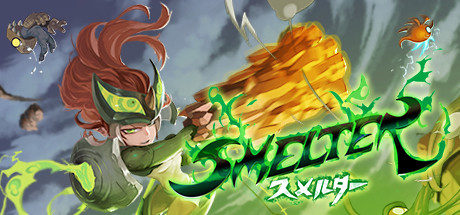
31 cheats for Smelter, including Infinite Health, Infinite Health (Alternative), and One Hit Kill. Turn them on with hotkeys, an in-game overlay or your phone.
Free · No ads · No time limits · Windows 10 and 11
Cheats and Options
31 optionsSide-Scrolling Stages 6
Your health is set to 100 whenever the game checks it for the low-health warning. Hooks the player health code; if it does not keep you alive, try the alternative below.
The same as Infinite Health, from another spot in the same player health code.
Any health bar the game updates is set to empty, so enemies die on the next hit. Hooks the health bar code; if it does not work, try the alternative below.
The same as One Hit Kill, from another spot in the same health bar code.
Holds the stage timer at the value it has when turned on. Hooks the stage timer display itself.
The stage timer, in seconds. Needs Freeze Stage Timer on, and shows the value once the game has drawn the timer.
Player 14
Hooks the player's state update in side-scrolling stages, which hands over the player, so the values below can be read and set.
Your current health. Needs Enable Player Values (or Infinite Special) on, and shows the value once the game has run its player update in a side-scrolling stage.
Your max health. Needs Enable Player Values (or Infinite Special) on, and shows the value once the game has run its player update in a side-scrolling stage.
How long you stay invincible after a hit, in seconds. Set it to 9999 and get hit once to stay invincible. Needs Enable Player Values (or Infinite Special) on, and shows the value once the game has run its player update in a side-scrolling stage.
Your special is kept at your max special. Hooks the player's state update itself.
Your current special. Needs Enable Player Values (or Infinite Special) on, and shows the value once the game has run its player update in a side-scrolling stage.
Your max special. Needs Enable Player Values (or Infinite Special) on, and shows the value once the game has run its player update in a side-scrolling stage.
Your current shield. Needs Enable Player Values (or Infinite Special) on, and shows the value once the game has run its player update in a side-scrolling stage.
How many jumps you can make before landing. Needs Enable Player Values (or Infinite Special) on, and shows the value once the game has run its player update in a side-scrolling stage.
How many dashes you can make before landing. Needs Enable Player Values (or Infinite Special) on, and shows the value once the game has run its player update in a side-scrolling stage.
Your move speed. Needs Enable Player Values (or Infinite Special) on, and shows the value once the game has run its player update in a side-scrolling stage.
Your dash speed. Needs Enable Player Values (or Infinite Special) on, and shows the value once the game has run its player update in a side-scrolling stage.
Multiplies the damage you deal. Needs Enable Player Values (or Infinite Special) on, and shows the value once the game has run its player update in a side-scrolling stage.
How high a full jump takes you. Needs Enable Player Values (or Infinite Special) on, and shows the value once the game has run its player update in a side-scrolling stage.
Map Area 3
Enemies in the map area are left with 1 health whenever they take damage, so any hit finishes them. Hooks the enemy damage code.
Zirm's house keeps 200 health. Hooks the house's update.
Your buildings and landmarks keep 450 health. Hooks the building update.
Resources 8
Hooks the map area's resource display, which hands over your resource counts, so the values below can be read and set. Turn it on in the map area.
Apples. Needs Enable Resource Values on, and shows the value once the game has updated its resource display in the map area.
Apple cores available. Needs Enable Resource Values on, and shows the value once the game has updated its resource display in the map area.
Tokens. Needs Enable Resource Values on, and shows the value once the game has updated its resource display in the map area.
Building material. Needs Enable Resource Values on, and shows the value once the game has updated its resource display in the map area.
Total moxie. Needs Enable Resource Values on, and shows the value once the game has updated its resource display in the map area.
The most Zirms you can have. Needs Enable Resource Values on, and shows the value once the game has updated its resource display in the map area.
House space. Needs Enable Resource Values on, and shows the value once the game has updated its resource display in the map area.
FAQ
About the Smelter Trainer
Is the trainer for Smelter free?
Yes. Trinity and every trainer in it are free: no time limits, no ads, and the phone remote is included.
What can the trainer do?
It has 31 options, such as Infinite Health, Infinite Health (Alternative), One Hit Kill, and One Hit Kill (Alternative). Each one is listed above with its default hotkey, and you can rebind any of them.
Which version of Smelter does it work with?
It is made for the PC game from Steam. Trinity finds the game in your library and attaches when it is running.
Can I use it online?
No. Trinity is for single-player games only. Do not use trainers in online modes or in games with anti-cheat.