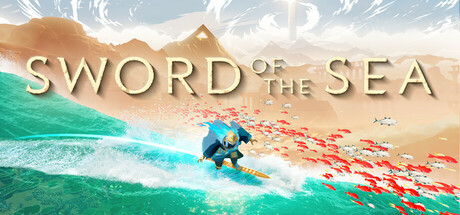
Sword of the Sea Trainer
14 cheats for Sword of the Sea, including Enable Surfer Values, Game Speed (Time Dilation), and Hover Height. Turn them on with hotkeys, an in-game overlay or your phone.
Free · No ads · No time limits · Windows 10 and 11
Cheats and options
14 optionsSurfing 5
Hooks a function the game runs with the surfer, so the game speed and the surfer's ground and air control values can be read and set. The table calls it Surfer Pawn.
The world's time dilation: 1 is normal speed, lower is slow motion. Needs Enable Surfer Values on, and shows the value once you are surfing.
How high the surfer hovers over the ground. Needs Enable Surfer Values on, and shows the value once you are surfing.
The slowest the surfer ever moves. Needs Enable Surfer Values on, and shows the value once you are surfing.
Multiplies gravity while catching air: lower means longer air time. Needs Enable Surfer Values on, and shows the value once you are surfing.
Jumping 5
Multiplies the force of a charged higher jump. Needs Enable Surfer Values on, and shows the value once you are surfing.
The least charge a held jump starts with. The table recommends setting it the same as Jump Hold Full Charge Time. Needs Enable Surfer Values on, and shows the value once you are surfing.
How long a held jump takes to charge fully. The table recommends setting it the same as Jump Hold Min Charge. Needs Enable Surfer Values on, and shows the value once you are surfing.
The top speed a jump off a wall reaches. Needs Enable Surfer Values on, and shows the value once you are surfing.
Acceleration added while sliding through the air. Needs Enable Surfer Values on, and shows the value once you are surfing.
Score & Collectables 4
Hooks the trick system, which hands over the trick score, so it can be read and set. Do a trick to fill it. The table calls it Trick System.
The current trick score. Needs Enable Trick Values on, and shows the value once you have done a trick.
Hooks the code that counts a picked-up collectable, so how many of it you own can be read and set. Collect a tetra or another collectable to fill it. The table calls it Tetra/Collectable Editor.
How many you own of the collectable you picked up last. Needs Enable Collectable Values on, and shows the value once you have collected one.
FAQ
About the Sword of the Sea trainer
Is the trainer for Sword of the Sea free?
Yes. Trinity and every trainer in it are free: no time limits, no ads, and the phone remote is included.
What can the trainer do?
It has 14 options, such as Enable Surfer Values, Game Speed (Time Dilation), Hover Height, and Min Moving Speed. Each one is listed above with its default hotkey, and you can rebind any of them.
Which version of Sword of the Sea does it work with?
It is made for the PC game from Steam. Trinity finds the game in your library and attaches when it is running.
Can I use it online?
No. Trinity is for single-player games only. Do not use trainers in online modes or in games with anti-cheat.
More games with trainers
Browse all 2,900+ games