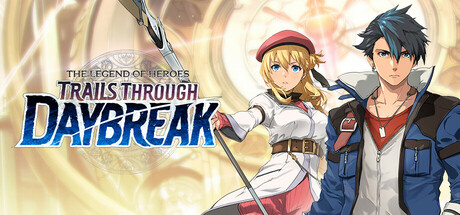
The Legend of Heroes: Trails through Daybreak Trainer
51 cheats for The Legend of Heroes: Trails through Daybreak, including Infinite HP, Infinite EP, and Infinite CP. Turn them on with hotkeys, an in-game overlay or your phone.
Free · No ads · No time limits · Windows 10 and 11
Cheats and options
51 optionsBattle 12
Only works in field/real-time battle.
Only works in AT/turn-based battle.
Only works in AT/turn-based battle. This option will temporarily change player and teammates' stat. If you want to restore its effect, please disable this option and then fight a battle.
Only works in AT/turn-based battle. This option will temporarily change player and teammates' stat. If you want to restore its effect, please disable this option and then fight a battle.
Only works in AT/turn-based battle. This option will temporarily change player and teammates' stat. If you want to restore its effect, please disable this option and then fight a battle.
Only works in AT/turn-based battle. This option will temporarily change player and teammates' stat. If you want to restore its effect, please disable this option and then fight a battle.
Only works in AT/turn-based battle. This option will temporarily change player and teammates' stat. If you want to restore its effect, please disable this option and then fight a battle.
This option will temporarily change player and teammates' stat. If you want to restore its effect, please disable this option and then fight a battle.
Game 13
ed9.exe builds only, as in FLiNG's trainer.
Enemies may have 0 to 2 possible drop items, but each enemy will only drop 1 item per battle. If an enemy has 2 possible drop items, it will randomly drop one of them.
Item quantity must be greater than 1 and the decrease amount must be less than its current quantity for this option to work. ed9.exe builds only, as in FLiNG's trainer.
Does not work on 11/14/S1208, when the story needs all free time points spent. ed9.exe builds only, as in FLiNG's trainer.
Takes effect when you equip/change quartz. If a quartz line has at least 1 quartz in it, its element values will be set to 99 and unlock all of its S-Skills.
Takes effect when you open the achievement menu. Unlocks in-game achievements and rewards, not platform (such as Steam) achievements.
Takes effect when connect exp increases (give gifts or spend free time together).
Takes effect when gourmet point increases. ed9.exe builds only, as in FLiNG's trainer.
Takes effect when you report SP, each completed mission will give you 500 bonus SP, which is enough to max out the ARKRIDE Solutions Office rank.
Takes effect when you open the main story tab in the note screen, or when you gain law alignments.
Takes effect when you open the main story tab in the note screen, or when you gain gray alignments.
Takes effect when you open the main story tab in the note screen, or when you gain chaos alignments.
Growth 5
Takes effect when you win a battle.
Takes effect when you win a battle.
Takes effect when you win a battle.
Mira & Sepith 9
Takes effect when you open the main menu.
Takes effect when you open the main menu.
Takes effect when you open the main menu.
Takes effect when you open the main menu.
Takes effect when you open the main menu.
Takes effect when you open the main menu.
Takes effect when you open the main menu.
Takes effect when you open the main menu.
Takes effect when you open the main menu.
Obtain All 12
Takes effect when you open the item menu. The input value sets the item quantities.
Takes effect when you open the item menu. The input value sets the item quantities.
Takes effect when you open the item menu. The input value sets the item quantities.
Takes effect when you open the item menu. The input value sets the item quantities.
Takes effect when you open the item menu. The input value sets the item quantities.
Takes effect when you open the item menu. The input value sets the item quantities.
Takes effect when you open the item menu. The input value sets the item quantities.
Takes effect when you open the item menu. The input value sets the item quantities.
Takes effect when you open the item menu. The input value sets the item quantities.
Takes effect when you open the item menu. The input value sets the item quantities.
Takes effect when you open the item menu.
Takes effect when you open the item menu.
FAQ
About the Legend of Heroes: Trails through Daybreak trainer
Is the trainer for The Legend of Heroes: Trails through Daybreak free?
Yes. Trinity and every trainer in it are free: no time limits, no ads, and the phone remote is included.
What can the trainer do?
It has 51 options, such as Infinite HP, Infinite EP, Infinite CP, and Infinite Charge Attacks. Each one is listed above with its default hotkey, and you can rebind any of them.
Which version of The Legend of Heroes: Trails through Daybreak does it work with?
It is made for the PC game from Steam. Trinity finds the game in your library and attaches when it is running.
Can I use it online?
No. Trinity is for single-player games only. Do not use trainers in online modes or in games with anti-cheat.
More games with trainers
Browse all 1,100+ games