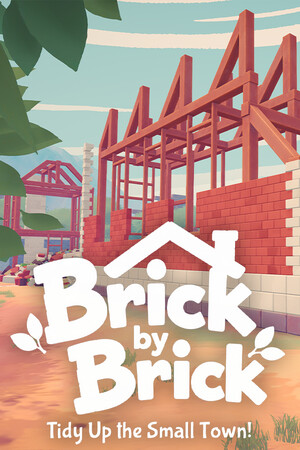
Brick by Brick: Tidy Up the Small Town Trainer
16 cheats for Brick by Brick: Tidy Up the Small Town, including Walk Speed Multiplier, Brick Magnet Amount, and Slow Player. Turn them on with hotkeys, an in-game overlay or your phone.
Free · No ads · No time limits · Windows
Cheats and Options
16 optionsPlayer 7
Multiplies how fast you walk.
Sets how many bricks the brick magnet pulls in at once. You must be fully in-game and have the brick magnet skill unlocked to use this mod.
Slows your walking to a crawl, a fifth of normal speed. This overrides "Walk Speed Multiplier" while it is on.
Lets you fly where you look. Use W, A, S and D to move, Space to go up and Ctrl to go down.
Sets how fast you fly, between 5 and 100.
Lets you jump again in mid-air as many times as you want.
Multiplies how high you jump, between 1 and 10 times.
Inventory 3
Sets how many bricks you can carry at once, between 4 and 500. You must be fully in-game to use this mod. Wheelbarrow Capacity: Sets how many bricks your wheelbarrow can hold, between 48 and 1,000. You must be fully in-game and have the wheelbarrow unlocked to use this mod.
You can only carry one brick at a time. You must be fully in-game to use this mod. It overrides "Carry Capacity" while it is on.
The wheelbarrow is unavailable, even if you unlocked it. You must be fully in-game to use this mod. It overrides Unlock All Features while it is on.
Stats 1
Adds skill points to spend in the skill tree, between 1 and 100. You must be fully in-game to use this mod. Unlock All Skills: Unlocks every skill in the skill tree at once. You must be fully in-game to use this mod.
Game 5
Changes how fast the game runs.
Saves a high resolution screenshot to your Pictures folder.
Overrides your camera field of view. Use "Camera FOV Value" to set it.
Sets your camera field of view, between 20 and 179.
Unlocks every Steam achievement at once. You must be fully in-game in a save to use this mod.
FAQ
About the Brick by Brick: Tidy Up the Small Town Trainer
Is the trainer for Brick by Brick: Tidy Up the Small Town free?
Yes. Trinity and every trainer in it are free: no time limits, no ads, and the phone remote is included.
What can the trainer do?
It has 16 options, such as Walk Speed Multiplier, Brick Magnet Amount, Slow Player, and Fly Mode. Each one is listed above with its default hotkey, and you can rebind any of them.
Which version of Brick by Brick: Tidy Up the Small Town does it work with?
It is made for the PC game from Steam. Trinity finds the game in your library and attaches when it is running.
Can I use it online?
No. Trinity is for single-player games only. Do not use trainers in online modes or games with anti-cheat enabled (some games with anti-cheat allow disabling anti-cheat with an offline mode).