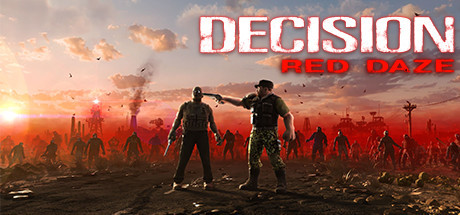
Decision: Red Daze Trainer
34 cheats for Decision: Red Daze, including Infinite Quick Items, Enable Day Values, and Day. Turn them on with hotkeys, an in-game overlay or your phone.
Free · No ads · No time limits · Windows 10 and 11
Cheats and Options
34 optionsItems 1
Whenever the game sets a resource's amount (quick items and the like), it is set to 99 instead. Hooks the game's resource setter.
Day 6
Hooks the game's main update, which hands over the day state, so the values below can be read and set.
The current day. Needs Enable Day Values (or Freeze Day Time) on, and shows the value once the game has run its update.
Time left in the current day. Needs Enable Day Values (or Freeze Day Time) on, and shows the value once the game has run its update.
Holds the time left in the day at the value it has when turned on. Hooks the game's main update itself.
Your reputation. Needs Enable Day Values (or Freeze Day Time) on, and shows the value once the game has run its update.
The team's stamina. Needs Enable Day Values (or Freeze Day Time) on, and shows the value once the game has run its update.
Unit 14
Hooks the code that builds a unit's stat bar, so the values below show the ally you last hovered the mouse over under Team.
Keeps the health of the ally you last hovered under Team at its total. Hooks the stat bar code itself.
Keeps the stamina of the ally you last hovered under Team at its total. Hooks the stat bar code itself.
The ally's current health. Needs Enable Unit Values (or a unit cheat) on, then hover the mouse over an ally under Team so the game builds their stat bar; it shows that ally.
The ally's total health. Needs Enable Unit Values (or a unit cheat) on, then hover the mouse over an ally under Team so the game builds their stat bar; it shows that ally.
The ally's current stamina. Needs Enable Unit Values (or a unit cheat) on, then hover the mouse over an ally under Team so the game builds their stat bar; it shows that ally.
The ally's total stamina. Needs Enable Unit Values (or a unit cheat) on, then hover the mouse over an ally under Team so the game builds their stat bar; it shows that ally.
The ally's sleep value. Needs Enable Unit Values (or a unit cheat) on, then hover the mouse over an ally under Team so the game builds their stat bar; it shows that ally.
The ally's lives. Needs Enable Unit Values (or a unit cheat) on, then hover the mouse over an ally under Team so the game builds their stat bar; it shows that ally.
The ally's level. Needs Enable Unit Values (or a unit cheat) on, then hover the mouse over an ally under Team so the game builds their stat bar; it shows that ally.
The ally's top move speed. Needs Enable Unit Values (or a unit cheat) on, then hover the mouse over an ally under Team so the game builds their stat bar; it shows that ally.
The ally's top running speed. Needs Enable Unit Values (or a unit cheat) on, then hover the mouse over an ally under Team so the game builds their stat bar; it shows that ally.
How hard the ally jumps. Needs Enable Unit Values (or a unit cheat) on, then hover the mouse over an ally under Team so the game builds their stat bar; it shows that ally.
How much the ally's inventory can hold. Needs Enable Unit Values (or a unit cheat) on, then hover the mouse over an ally under Team so the game builds their stat bar; it shows that ally.
Weapon 4
The damage of the ally's main weapon. Needs Enable Unit Values (or a unit cheat) on, then hover the mouse over an ally under Team so the game builds their stat bar; it shows that ally.
The clip size of the ally's main weapon. Needs Enable Unit Values (or a unit cheat) on, then hover the mouse over an ally under Team so the game builds their stat bar; it shows that ally.
The reload time of the ally's main weapon (lower is faster). Needs Enable Unit Values (or a unit cheat) on, then hover the mouse over an ally under Team so the game builds their stat bar; it shows that ally.
The time between shots of the ally's main weapon (lower is faster). Needs Enable Unit Values (or a unit cheat) on, then hover the mouse over an ally under Team so the game builds their stat bar; it shows that ally.
Skills 3
Which of the hovered ally's 15 skill slots the two values below show and set.
The chosen skill's value. Needs Enable Unit Values (or a unit cheat) on, then hover the mouse over an ally under Team so the game builds their stat bar; it shows that ally.
The chosen skill's type number (which skill it is). Needs Enable Unit Values (or a unit cheat) on, then hover the mouse over an ally under Team so the game builds their stat bar; it shows that ally.
Rules 6
Hooks the game's once-a-second update, which hands over its tuning constants, so the values below can be read and set.
Sets the stamina cost of rolling, running, sprinting, attacking, charging and taking damage to 0 for everyone; the old costs come back when turned off. Hooks the once-a-second update itself.
Which of the game's decimal tuning constants the value below shows and sets.
The chosen constant's value. Needs Enable Rule Values (or No Stamina Cost) on, and shows the value once the game has run its once-a-second update.
Which of the game's whole-number tuning constants the value below shows and sets.
The chosen constant's value. Needs Enable Rule Values (or No Stamina Cost) on, and shows the value once the game has run its once-a-second update.
FAQ
About the Decision: Red Daze Trainer
Is the trainer for Decision: Red Daze free?
Yes. Trinity and every trainer in it are free: no time limits, no ads, and the phone remote is included.
What can the trainer do?
It has 34 options, such as Infinite Quick Items, Enable Day Values, Day, and Day Time Left. Each one is listed above with its default hotkey, and you can rebind any of them.
Which version of Decision: Red Daze does it work with?
It is made for the PC game from Steam. Trinity finds the game in your library and attaches when it is running.
Can I use it online?
No. Trinity is for single-player games only. Do not use trainers in online modes or in games with anti-cheat.