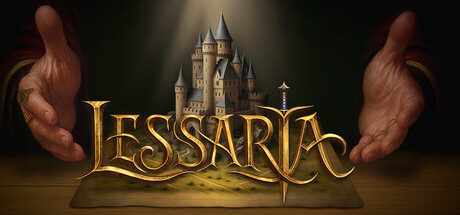
Len's Island Trainer
11 cheats for Len's Island, including All Resources Obtained, Resources Remain Full, and Max Out Current Resources. Turn them on with hotkeys, an in-game overlay or your phone.
Free · No ads · No time limits · Windows 10 and 11
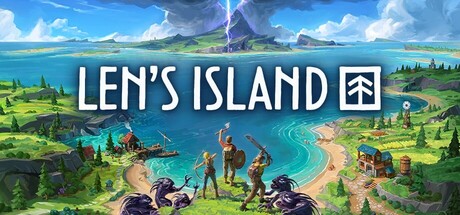
Cheats and options
11 optionsResources 4
Sets the amount of each resource to 999,999,999 as the game shows it, so you have plenty of everything you look at. Works once the game has found Player_ResourceManager:SetResourceUI.
When you use or spend a resource, its amount is set to 999,999,999 instead of going down. Works once the game has found Player_ResourceManager:RemoveResource.
When you pick up or gain a resource, its amount is set to 999,999,999. Works once the game has found Player_ResourceManager:AddResource.
Shows the amount, max amount, stack sizes and prices of the last resource you gained, and sets them to what you type. Turn it on to read them. Read through the resource the table's hook stores, which works once the game has found Player_ResourceManager:AddResource and a resource has been added (pick something up).
Skills 1
Shows your experience and skill points and sets them to what you type. Turn it on to read them. Read through the skill system as the table's hook stores it, which works once the game has found SkillSystem:get_skillPoints and you have clicked an unlocked skill in the Skill Points tab.
Player 3
Holds your health at your max health. Read through your player as the table's hook stores it, which works once the game has found Player:Update and you are in the world. Solo/offline only.
Holds your hunger meter at its max, so you never get hungry. Read through your player as the table's hook stores it, which works once the game has found Player:Update and you are in the world. Solo/offline only.
Shows your health, max health, hunger, max hunger, walking max speed, jump speed and swimming max speed, and sets them to what you type. Turn it on to read them. Read through your player as the table's hook stores it, which works once the game has found Player:Update and you are in the world.
Primary Item 1
Shows the critical modifier, critical resource chance and damage ratios (stab, slash, bludgeon, chop, strike, harvest, dig) of the item in your hand, and sets them to what you type. Turn it on to read them. Read through your player as the table's hook stores it, which works once the game has found Player:Update and you are in the world.
Time 2
Stops the time of day from moving on; turning it off lets it run again. Read through the game's clock as the table's hook stores it, which works once the game has found TOD_Time:FixedUpdate.
Shows the length of a day in minutes and the current hour, and sets them to what you type. Turn it on to read them. Read through the game's clock as the table's hook stores it, which works once the game has found TOD_Time:FixedUpdate.
FAQ
About the Len's Island trainer
Is the trainer for Len's Island free?
Yes. Trinity and every trainer in it are free: no time limits, no ads, and the phone remote is included.
What can the trainer do?
It has 11 options, such as All Resources Obtained, Resources Remain Full, Max Out Current Resources, and Edit Last Added Resource. Each one is listed above with its default hotkey, and you can rebind any of them.
Which version of Len's Island does it work with?
It is made for the PC game from Steam. Trinity finds the game in your library and attaches when it is running.
Can I use it online?
No. Trinity is for single-player games only. Do not use trainers in online modes or in games with anti-cheat.