Find your game
Your installed games are on Home. For anything else, open Library in the left bar and type in Search games. On the left you can narrow the list to Installed games or to one store.
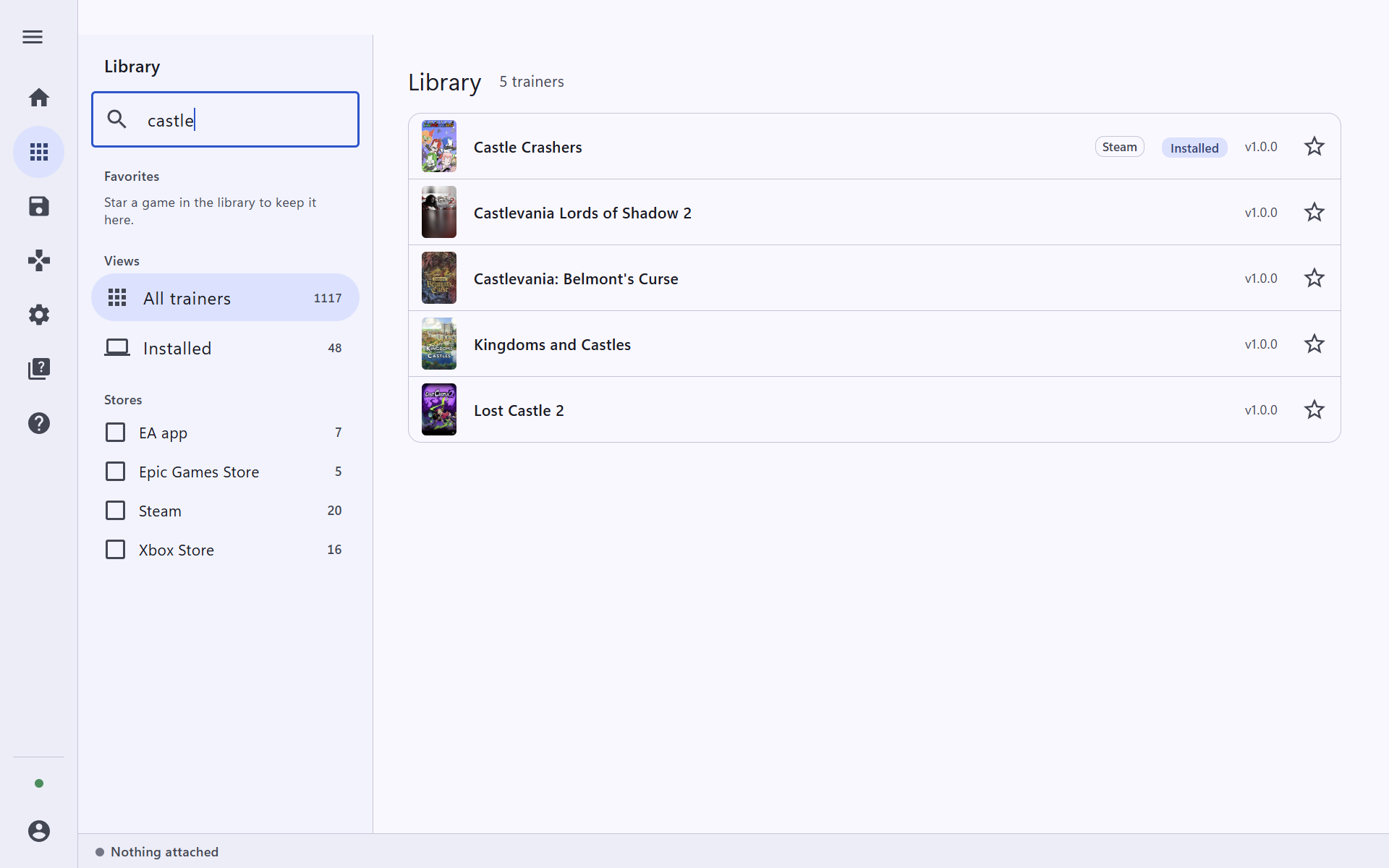
Press the star next to a game to add it to Favorites. Favorites stay at the top of the library, and they are the games you can start from your phone.
Open the game and press Play
Click the game's name. Its page shows the art, the trainer's version and the cheats it has. Press Play.
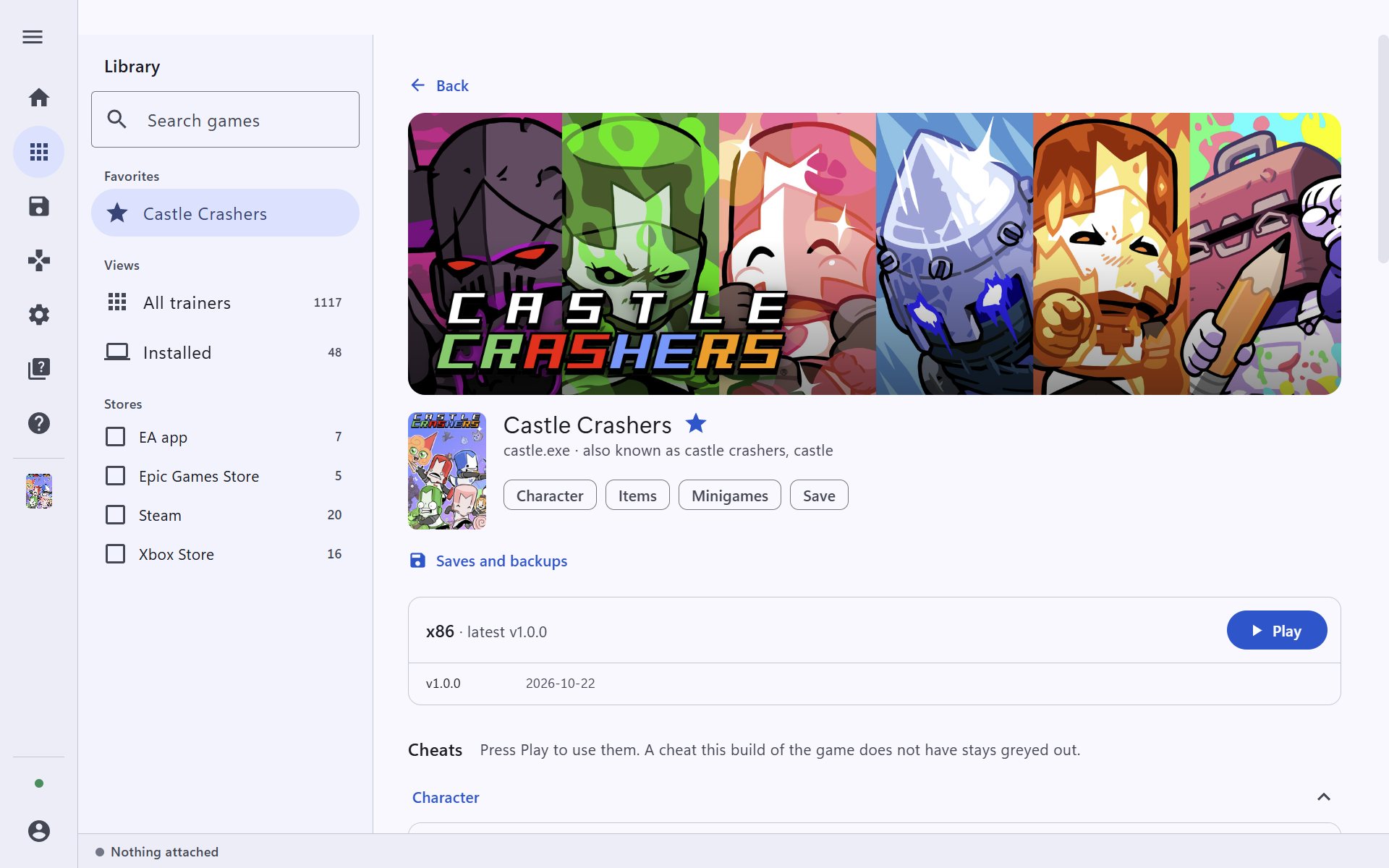
Trinity starts the game through its store (Steam here) and attaches the trainer once the game is running. If the game is already running, Play just attaches. The bottom line then reads attached · ready.
Trinity is for single-player games only. Do not use it in online games or games with anti-cheat.
Turn a cheat on
When the trainer attaches, Trinity opens the Trainer page. Each cheat has a short description and a switch. Flip the switch to turn it on, and again to turn it off.
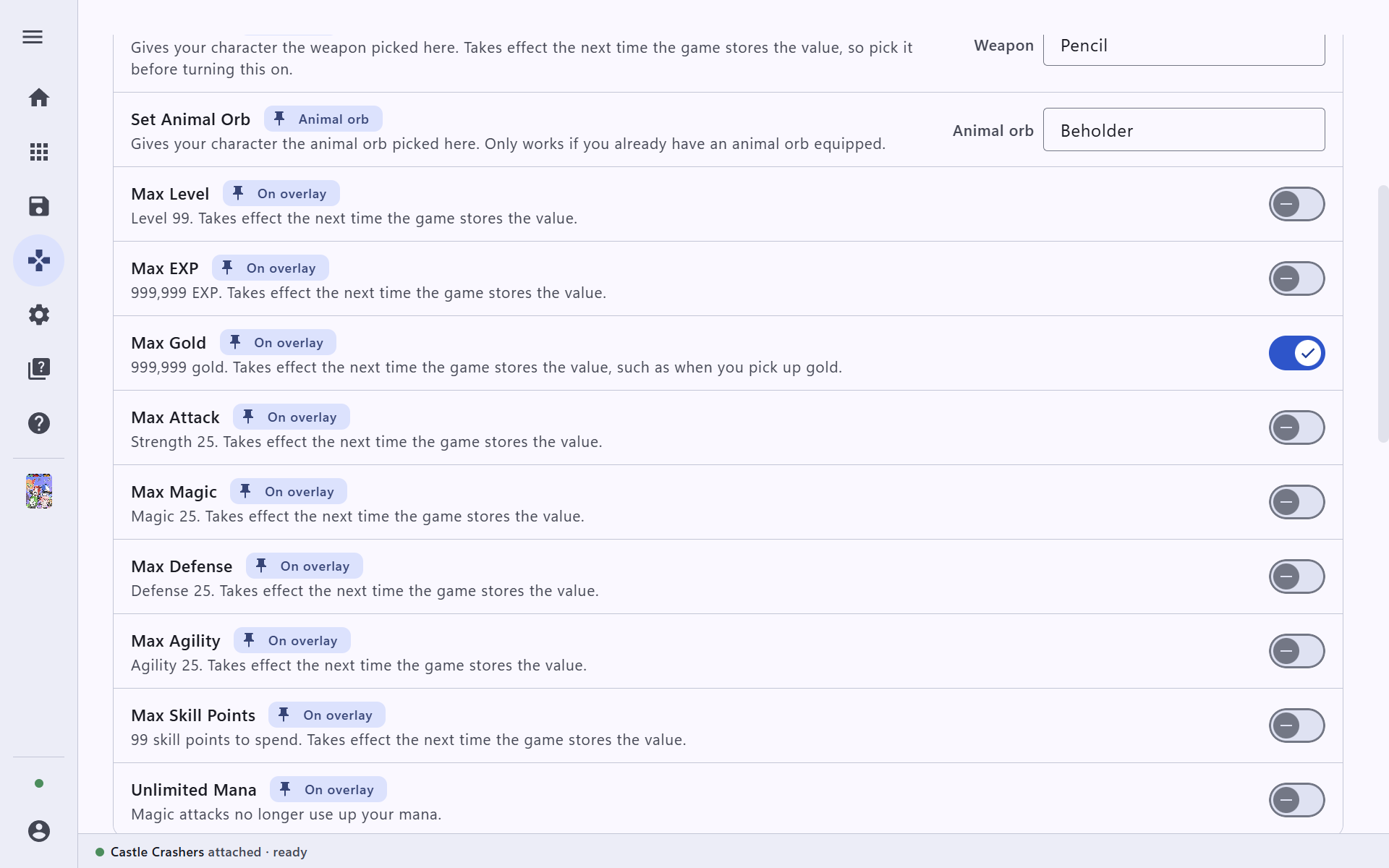
Some cheats take a value instead of a switch, such as the weapon to give your character. Pick the value first, then turn the cheat on.
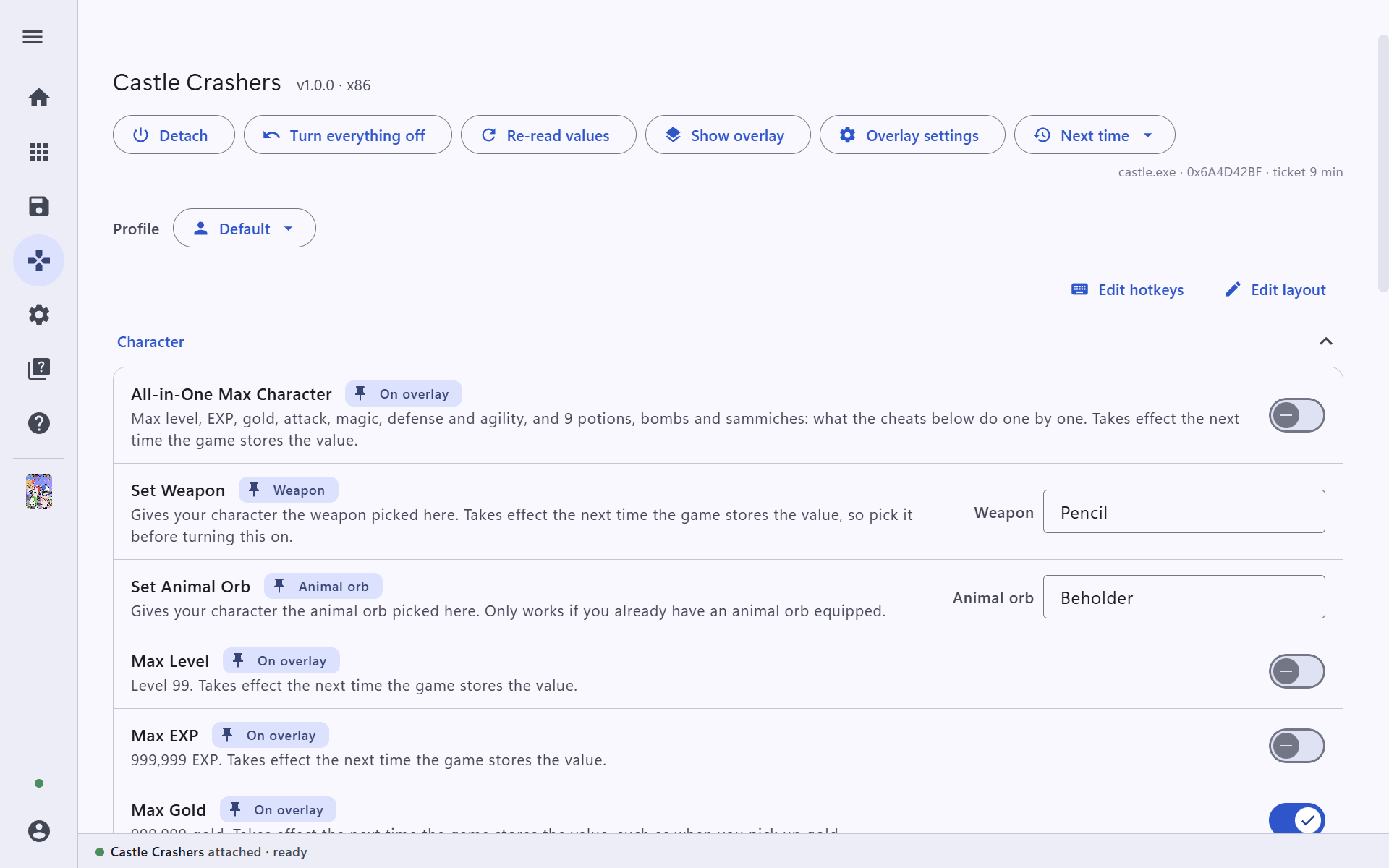
Along the top:
- Turn everything off puts every cheat back the way the game had it.
- Detach unloads the trainer. The game keeps running.
- Show overlay shows the cheats inside the game (see the overlay guide).
A greyed-out cheat was not found in your version of the game. The rest still work. Some cheats only change a value the next time the game stores it, for example when you next pick up gold; the description says so.
Give a cheat a hotkey
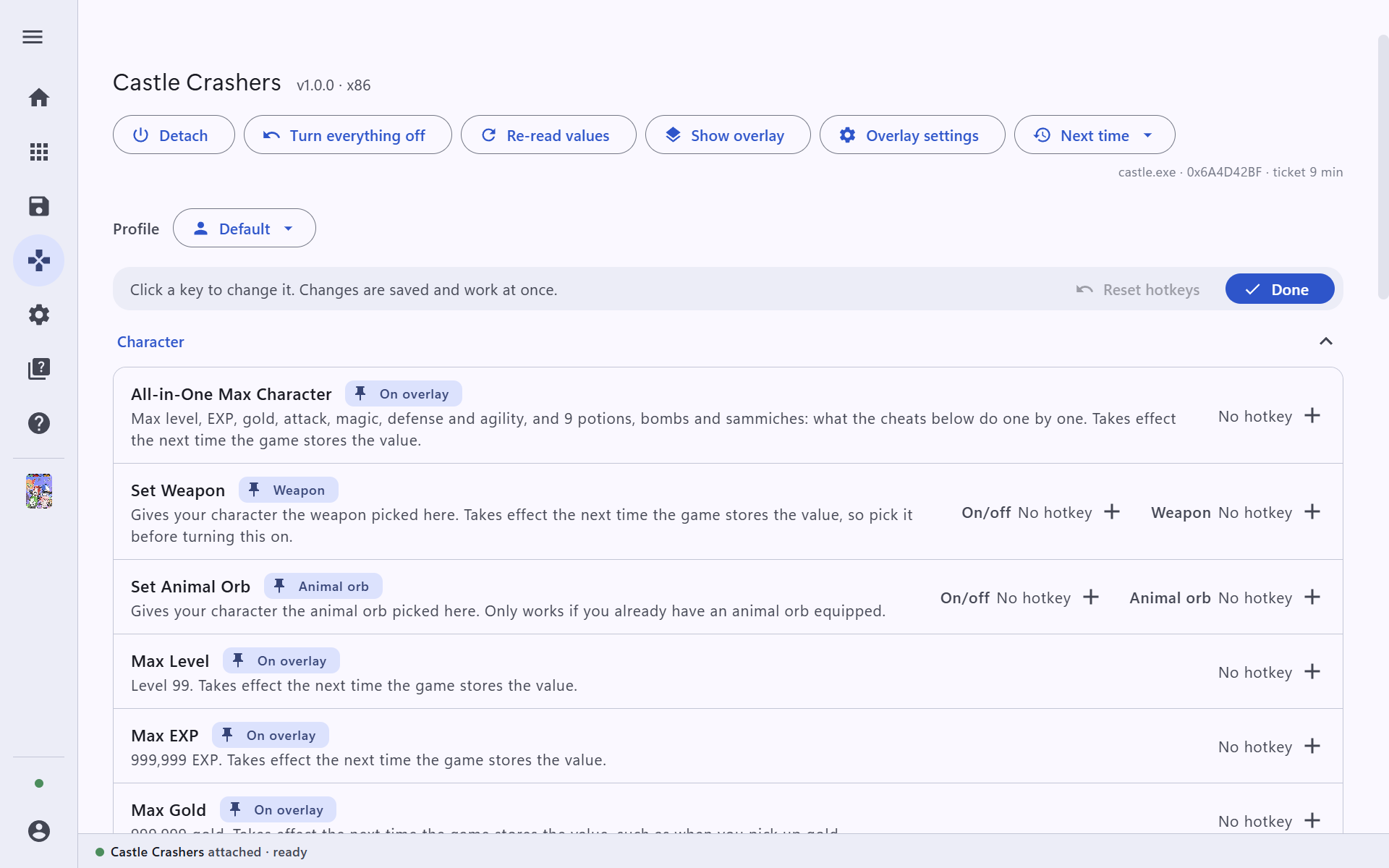
Hotkeys let you flip cheats without leaving the game. On the trainer page, press Edit hotkeys, click the + next to a cheat, and press the key (or key combination) you want. Changes are saved and work at once. Press Done when you are finished.
Save setups as profiles
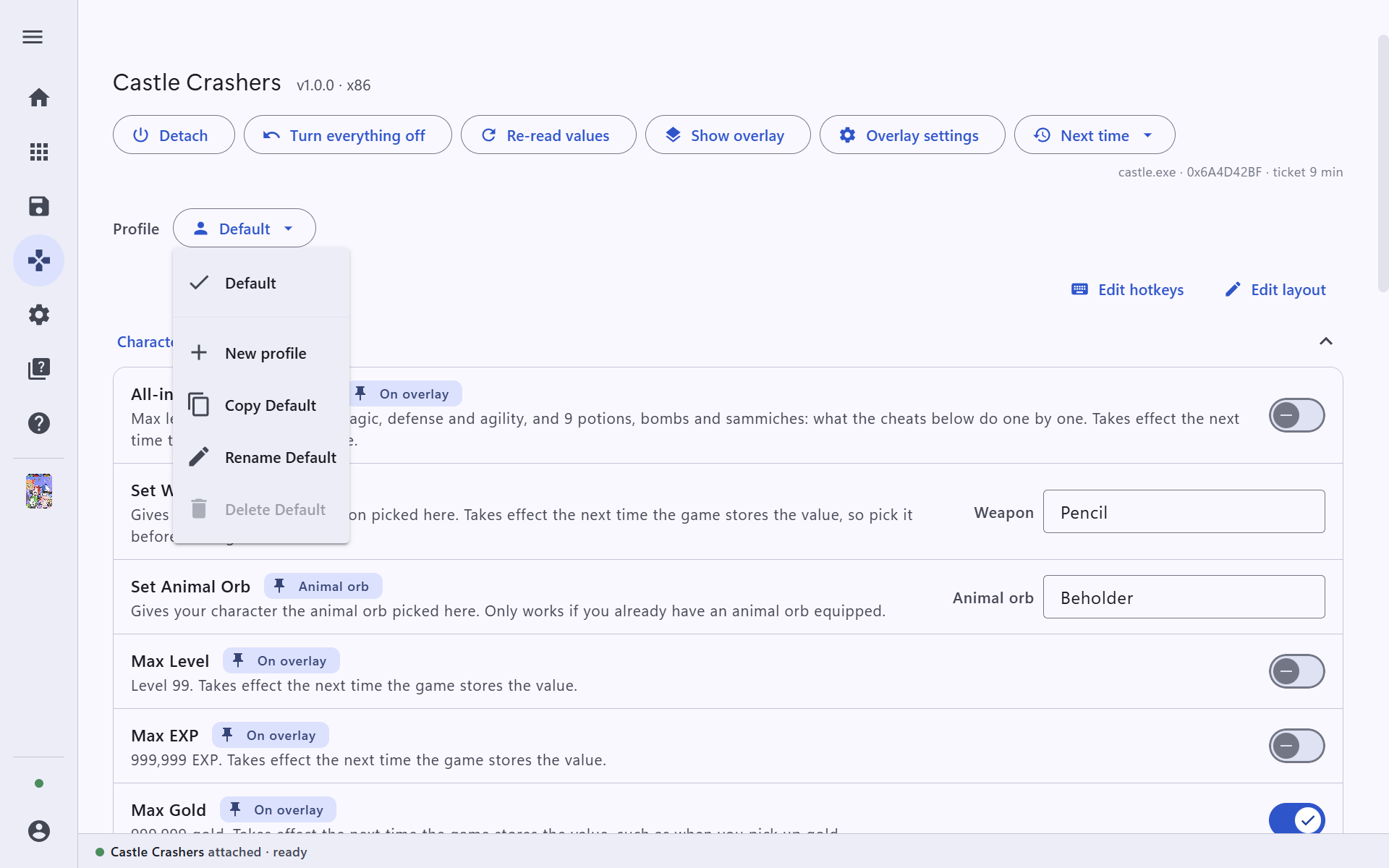
A profile remembers a set of hotkeys and layout for a game. Open the Profile menu to make a New profile, copy, rename or delete one, and switch between them.
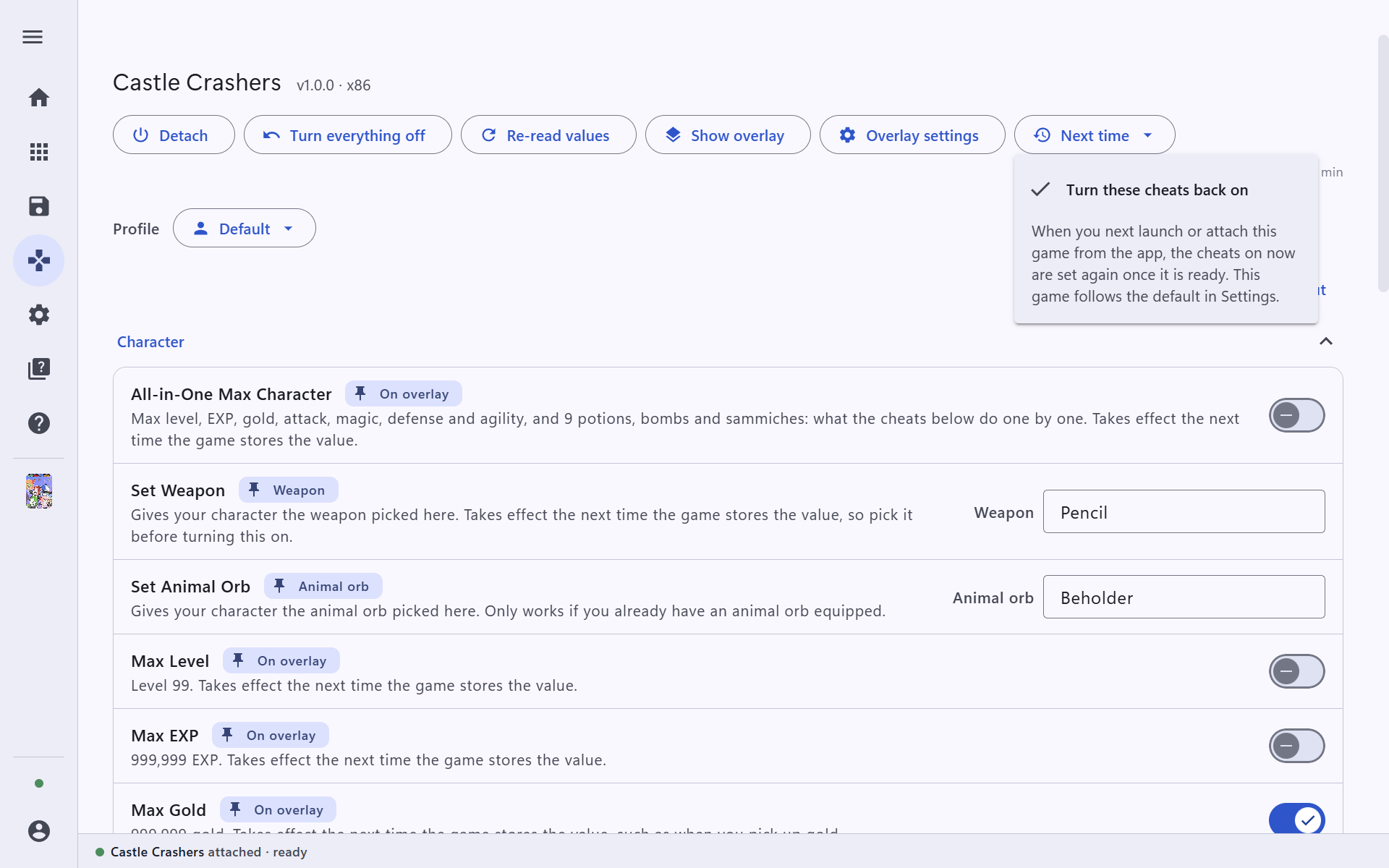
Next time → Turn these cheats back on makes Trinity switch on the same cheats the next time you start this game from the app.